How to Teletransport in Minecraft? (Teleport Commands, Players, and Coordinates)
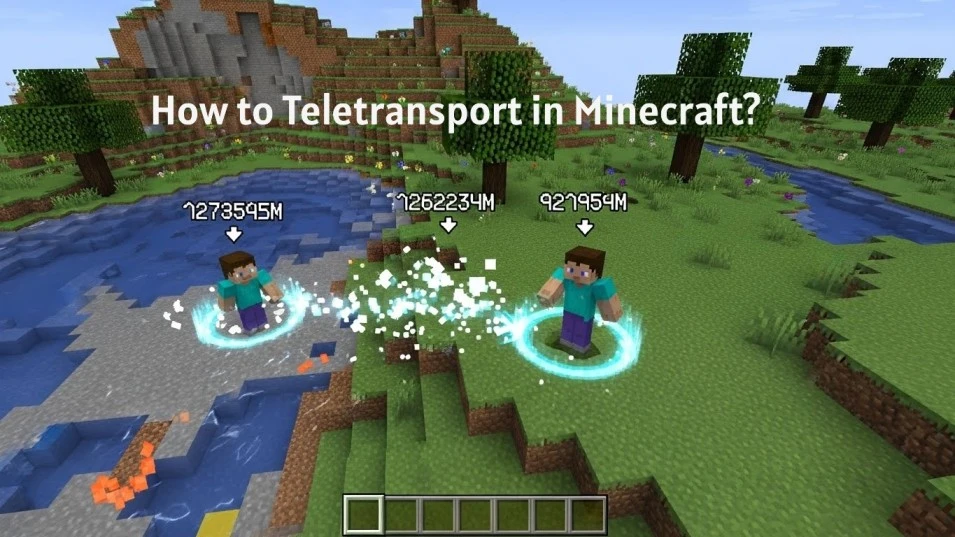
Teleporting in Minecraft is one of the fastest ways to move across your world, whether you’re exploring, building, or playing with friends. With simple commands, you can instantly travel to coordinates, players, or even different dimensions.
🌌 1. Teleport Between Dimensions
You can’t directly use /tp across dimensions, but you can:
✅ Option 1: Use Commands (Java Edition)
/execute in minecraft:the_nether run tp @p 0 80 0
minecraft:the_nether→ Netherminecraft:the_end→ End
🧱 2. Command Block Teleport
Step-by-step:
- Get a command block:
/give @p command_block
- Place it and enter:
/tp @p 100 64 100
- Power it with a button/lever
➡ Now pressing it teleports you instantly!
🎯 3. Teleport Specific Players (Advanced)
/tp @a[x=100,y=64,z=100,distance=..10] 0 70 0
- Teleports all players within 10 blocks of that location
🧭 4. Teleport Facing Direction
/tp @p 100 64 100 facing 200 70 200
➡ You’ll teleport and look at a specific point
⚡ 5. Safe Teleport (Avoid Falling)
/tp @p ~ ~1 ~
➡ Moves you slightly up to avoid suffocation or glitches
🔥 Pro Tips
- Use coordinates wisely in Nether (1 block = 8 in Overworld)
- Always ensure a safe landing spot
- Combine with command blocks + redstone for teleport systems
📘 What Does Teleporting Mean in Minecraft?
Teleporting in Minecraft means moving a player or entity instantly from one location to another without traveling through the world. This action changes position immediately and does not require walking, flying, or using portals.
Teleporting works through the game’s command system. A player can teleport to another player, to exact coordinates, or to specific locations such as spawn. This action is commonly known as tp in minecraft and is used for fast movement and location control.
Players use teleporting to save time, manage multiplayer worlds, test builds, and reach distant areas quickly. Teleporting does not affect inventory, health, experience, or progress. It only changes the current location in the game world.
❓ Can You Teleport in Minecraft Survival Mode?
Yes. You can teleport in Minecraft Survival mode, but only when commands are enabled. Teleporting does not work by default in Survival worlds without command access.
Teleporting in Survival requires enabling cheats when creating the world or allowing commands in an existing world. Once enabled, the teleport command functions the same way as in Creative mode.
This explains how do you teleport in minecraft during Survival gameplay. Teleporting does not change difficulty, health, or inventory. It only moves the player to a different location.
⚙️ Requirements to Teleport in Minecraft
Teleporting in Minecraft works only when specific conditions are met. These requirements must be in place before using any teleport command.
Command Access Must Be Enabled
Teleporting requires commands to be enabled in the world. Without command access, teleporting is not available in Survival or multiplayer gameplay.
Cheats Must Be Turned On
Cheats must be turned on when creating the world or enabled later in an existing world. This allows teleport commands to function correctly.
Proper Permissions Are Required
In single player worlds, the player has permission by default. In multiplayer worlds, only players with operator permissions can teleport.
Applies to All Teleport Actions
These requirements apply to teleporting to players, coordinates, spawn points, and other locations.
Meeting these conditions ensures teleport commands work as expected.
💬 How to Use the Teleport Command in Minecraft?
The teleport command is the primary method used to move players and entities instantly. This section explains how the command works and how it is used correctly.
What Is the Teleport Command in Minecraft?
The teleport command moves a target from one location to another instantly. It is commonly referred to as tp in minecraft and is part of the game’s command system.
Basic Teleport Command Format
The basic teleport command requires a target and a destination. The destination can be another player or a set of coordinates. Using the correct format is required for the command to work.
When the Teleport Command Works?
The teleport command works only when commands are enabled and the player has proper permissions. If either condition is missing, the command will not execute.
What the Teleport Command Does Not Change?
Teleporting does not affect health, inventory, experience, or game mode. It only changes the player’s location.
Understanding how the teleport command functions is essential before teleporting to coordinates or other players.
📍 How to Teleport to Coordinates in Minecraft?
Teleporting to coordinates allows precise movement to an exact location. This method is commonly used for navigation, building, and world management.
What Are Coordinates in Minecraft?
Coordinates define a location using three values: X, Y, and Z. These values represent horizontal position, height, and depth in the world.
How to Find Coordinates in Minecraft?
Coordinates can be viewed through the game settings or debug screen. Knowing the correct coordinates is required before teleporting to a specific location.
How to Teleport to Exact Coordinates?
To teleport, enter the teleport command followed by the target and the three coordinate values. Using accurate coordinates ensures correct placement without errors.
Common Coordinate Teleport Rules
- Coordinates must be entered in the correct order
- Incorrect values may place the player underground or in the air
- The teleport command works only when commands are enabled
Teleporting to coordinates provides accurate control over player location in any world.
🧍 How to Teleport to Another Player in Minecraft?
Teleporting to another player allows instant movement to their current location. This method is commonly used in multiplayer worlds for coordination and support.
When Can You Teleport to Another Player?
Teleporting to another player works only when commands are enabled and the player has permission to use teleport commands. Both players must be present in the same world.
How Teleporting to a Player Works?
The teleport command targets your player and sets the destination to another player’s position. This moves you instantly to where the other player is standing.
What Happens After Teleporting?
After teleporting, your position updates to match the target player’s location. Inventory, health, and experience remain unchanged.
Common Uses of Player Teleporting
Players use this feature to meet teammates, manage multiplayer servers, and resolve distance-related issues quickly.
Teleporting to another player provides fast and accurate movement in multiplayer gameplay.
👥 How to Teleport Other Players to You in Minecraft?
Teleporting other players to your location is useful for multiplayer coordination, assistance, and world management.
When Can You Teleport Other Players?
You can teleport other players only when commands are enabled and you have the required permissions. In multiplayer worlds, this usually requires operator access.
How Teleporting Other Players Works?
The teleport command targets another player and sets the destination to your current location. The selected player is moved instantly to where you are standing.
What Changes After Teleporting a Player?
Only the player’s position changes. Health, inventory, experience, and game mode remain the same after teleporting.
Common Uses for Teleporting Players
This method is used to gather players, help lost teammates, manage events, and control player positioning on servers.
Teleporting other players provides direct control over player locations without affecting gameplay progress.
🌍 How to Teleport to Spawn, Villages, and Structures in Minecraft?
This section explains how to teleport to common world locations using commands. These methods help reach important areas quickly and accurately.
How to Teleport to Spawn in Minecraft?
Teleporting to spawn moves a player to the world’s spawn point. This is useful when lost or returning to a central location. The teleport command sets the destination to the spawn coordinates.
How to Teleport to a Village in Minecraft?
Villages do not have fixed coordinates. Players must first locate a village using built-in location features, then teleport to the reported coordinates. Accurate coordinates are required for correct placement.
How to Teleport to Structures and Biomes?
Structures and biomes can be located through supported commands that return coordinates. Once coordinates are known, teleporting works the same way as coordinate-based teleportation.
Important Rules to Follow
- Commands must be enabled
- Correct coordinates are required
- Teleporting may place the player above or below ground
Teleporting to spawn, villages, and structures saves time and improves world navigation.
🧱 How to Teleport Using a Command Block in Minecraft?
This section explains how teleporting works with command blocks for automated or repeated movement.
What Is a Command Block Used For?
A command block runs a stored command automatically. When set correctly, it can teleport players without manual input.
How Teleporting with a Command Block Works?
The teleport command is placed inside the command block. When the block is activated, it executes the teleport action on the selected target.
Activation Methods
Command blocks can be activated using redstone signals such as buttons, levers, or pressure plates. Activation controls when teleporting occurs.
Rules and Limitations
- Commands must be enabled
- Proper permissions are required
- Incorrect settings prevent execution
Using command blocks allows controlled and repeatable teleporting for maps, builds, and multiplayer setups.
⚙️ Teleport Command Differences Between Java and Bedrock
Teleporting works in both Java and Bedrock editions, but command behavior and syntax have small differences that affect usage.
Teleporting in Minecraft Java Edition
Java Edition supports detailed command control. Teleport commands allow precise targeting, coordinate use, and advanced command options. Command syntax must be exact for successful execution.
Teleporting in Minecraft Bedrock Edition
Bedrock Edition uses simplified command rules. Teleporting still supports players, coordinates, and locations, but some advanced options available in Java are limited or handled differently.
Permission and Cheat Differences
Both editions require cheats to be enabled. Multiplayer permissions are stricter in Bedrock, where operator access controls command use.
What Stays the Same Across Editions?
Core teleport functions remain consistent. Teleporting always moves a player instantly without affecting inventory, health, or progress.
Understanding edition differences prevents command errors and improves teleport reliability.
⚠️ Common Mistakes When Teleporting in Minecraft
This section highlights frequent errors that prevent teleporting from working correctly. Avoiding these mistakes ensures reliable command use.
Commands Not Enabled
Teleporting fails when commands or cheats are disabled. Commands must be enabled before any teleport action works.
Incorrect Command Format
Teleport commands require a specific structure. Missing targets, destinations, or values causes the command to fail.
Wrong Coordinate Order
Coordinates must follow the correct X Y Z order. Swapping values can place players underground or in unsafe locations.
Missing Permissions in Multiplayer
In multiplayer worlds, only players with proper permissions can teleport. Lack of operator access blocks command execution.
Confusing Players and Locations
Teleporting to players and teleporting to coordinates use different inputs. Mixing these causes command errors.
Avoiding these mistakes improves accuracy and prevents teleport command failures.
🛠️ Troubleshooting Teleport Command Issues in Minecraft?
This section explains how to fix common problems when teleport commands do not work as expected.
Why Is the Teleport Command Not Working?
Teleporting fails when commands are disabled or permissions are missing. Ensure cheats are enabled and you have the required access to use commands.
Why Does the Command Run but Nothing Happens?
This usually occurs due to an incorrect target or destination. Check player names, coordinates, and command order for accuracy.
Why Am I Teleporting into Blocks or Falling?
Incorrect Y-coordinate values can place players underground or in the air. Use safe height values to avoid damage or suffocation.
Why Does Teleporting Work in One World but Not Another?
Each world has separate settings. Commands must be enabled individually for each world, and permissions may differ.
How to Confirm Teleport Readiness?
- Commands are enabled
- Permissions are granted
- Coordinates are correct
- The command format is valid
Following these checks resolves most teleport command issues without changing game progress.
📌 Key Facts About Teleporting in Minecraft
This section summarizes essential, factual information to reinforce how to teletransport in minecraft and ensure correct understanding of teleport mechanics.
Teleport Function Facts
Teleporting moves a player or entity instantly from one location to another. It does not involve travel time or terrain interaction.
Command Requirement Facts
Teleporting works only when commands are enabled. Without command access, teleporting is not available in Survival or multiplayer worlds.
Gameplay Impact Facts
Teleporting does not affect inventory, health, experience, game mode, or world progress. Only the player’s position changes.
Targeting Facts
Teleporting can target:
- A player
- Another player
- Exact coordinates
- Specific world locations
Each teleport action follows the same command rules.
Edition Consistency Facts
Core teleport behavior is consistent across editions. Differences exist only in command syntax and permission handling.
These facts define how teleporting functions and what players can expect when using teleport commands in Minecraft.
🧾 Conclusion
Teleporting in Minecraft is a command-based feature that allows instant movement between players, coordinates, and locations. It requires commands to be enabled and proper permissions to function.
By understanding teleport requirements, command behavior, and edition differences, players can use teleporting accurately and safely. Following the correct steps ensures reliable movement without affecting inventory, health, or game progress.
❓ Frequently Asked Questions About Teleporting in Minecraft
This section answers common questions related to how to teletransport in minecraft using clear, factual explanations.
1. Can You Teleport Without Enabling Commands in Minecraft?
No. Teleporting requires commands to be enabled. Without command access, teleporting is not available in any game mode.
2. Does Teleporting Work in Single-Player and Multiplayer Worlds?
Yes. Teleporting works in both single-player and multiplayer worlds when commands are enabled and permissions are granted.
3. Can You Teleport Animals or Entities in Minecraft?
Yes. Teleport commands can target entities such as animals or mobs, provided the correct command format and permissions are used.
4. Does Teleporting Cause Damage or Item Loss?
No. Teleporting does not cause damage, item loss, or experience loss. Only the player’s location changes.
5. Is Teleporting the Same Across All Minecraft Versions?
Core teleport mechanics are the same across versions. Differences exist mainly in command syntax and permission handling.